LMS Alternatives for CPR Training Businesses
An LMS delivers lessons. A CPR business also needs scheduling, payments, paperwork and renewals. Compare LMS alternatives built for training providers.
If you run CPR, BLS or First Aid classes, you are probably looking at LMS alternatives because a learning management system covers only part of your day. An LMS delivers a lesson and records a completion. It does not fill a Saturday class, collect a deposit, get a waiver signed, or remind a nurse that her BLS card expires in 60 days. The better fit for most training businesses is software built around the class, with online learning as one step in it.
What an LMS does well
An LMS is built for content. It hosts modules, video and quizzes, tracks who finished what, and reports on completion. For a company training its own employees on policy or software, that covers most of the need.
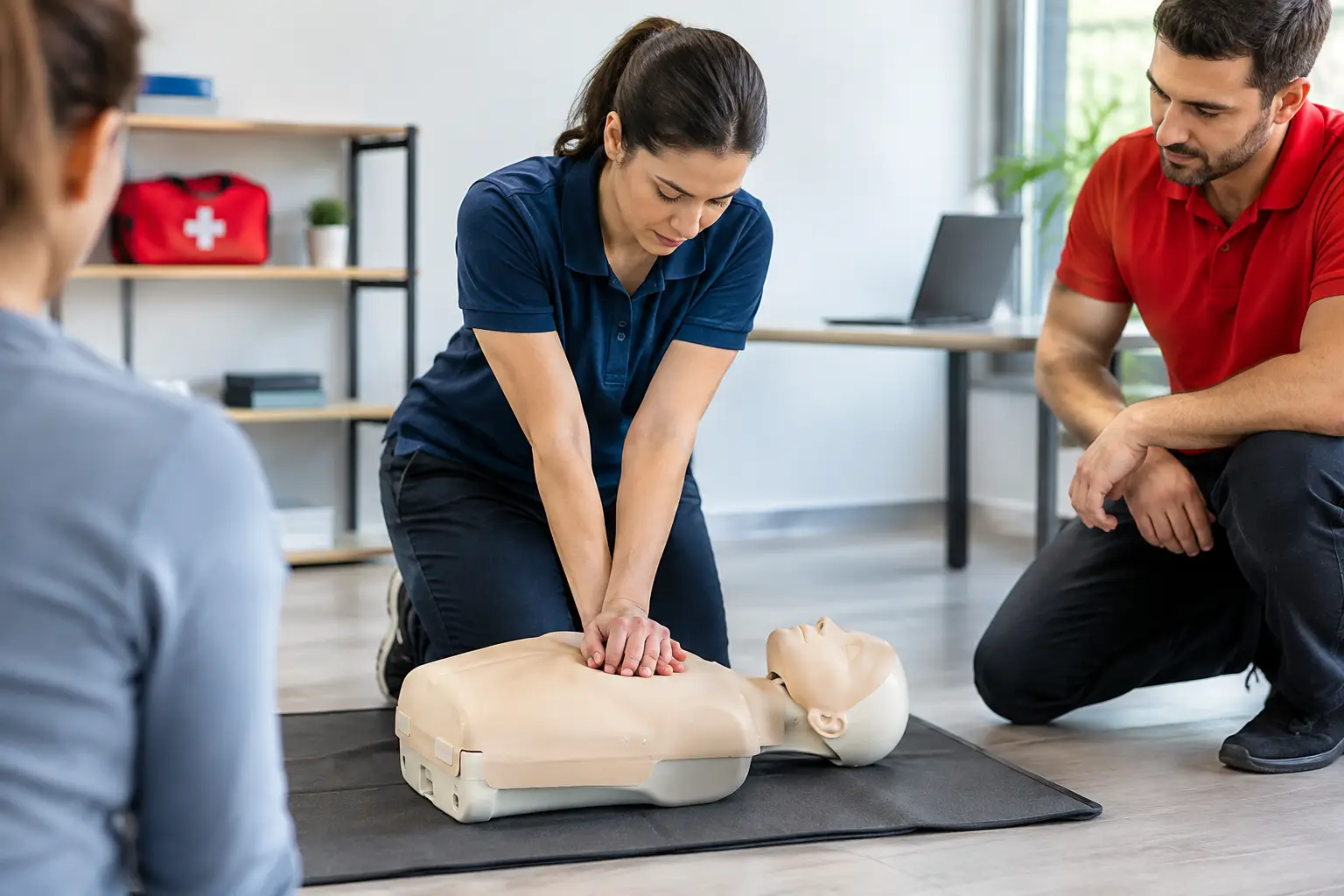
CPR training works differently. Most courses end in a hands-on skills session with an instructor, and many follow a blended format. The Red Cross describes its blended Adult First Aid/CPR/AED course as “an online portion and an instructor-led classroom skill session.” The online part is the smaller job. Everything around the skills session is where your time goes.
Where an LMS falls short for CPR providers
Training businesses that try to run on an LMS usually end up adding other tools to fill the gaps:
- Scheduling. Public classes, private onsite sessions, multi-day courses and flexible skills-check appointments each need their own setup. An LMS has no real class calendar.
- Registration and payment. Deposits, group checkouts, employer invoices and cash at the door need to land on the same record as the student.
- Paperwork. Waivers, rosters and skills checklists have to be signed, reviewed and kept.
- Cards and renewals. The card number, issue date and expiration date belong with the class that earned them, and the expiration date is your next sale.
- Instructors and locations. Who teaches where, with which equipment, and who is covering next week.
Each gap becomes another app, another export and another place for a student record to go missing.
Types of LMS alternatives
| Option | Good at | Where it breaks for CPR providers |
|---|---|---|
| General LMS | Online modules, quizzes, completion reports | No class calendar, payments, paperwork or card tracking |
| Generic booking app | Picking a time slot | No course rules, rosters, skills records or renewals |
| Spreadsheets and email | Free and flexible | Manual, error-prone and hard to hand off |
| Training management software | The whole class lifecycle on one record | Online content still comes from your course provider |
Training management software is the category built for this work. It treats the class as the center of the record and carries it from scheduling through renewal.
What to look for in training management software
Use these questions when you compare options:
- Does it handle every class format you run? Public, private, multi-day, recurring, virtual, blended and flexible appointments should be formats, not workarounds.
- Does payment land on the enrollment? You should see paid, partially paid or owing for each student without opening another app.
- Can instructors finish paperwork on a phone? Checklists and signatures should be done before anyone marks the class complete.
- Does it track cards and send students back? Expiration dates should drive reminders that link to the right renewal class.
- Does it scale past one instructor? Assignments, locations and reports should work across your whole team.
If you are comparing systems now, book a CPR Enroll demo and bring your hardest class format.
One blended BLS class, two ways
Picture a blended BLS skills session for eight nurses on a Thursday evening.
With an LMS plus other tools, the nurses finish the online portion in the LMS. Your office exports the completion list and checks it against a booking app where they picked the time. Payment came through a separate form, so someone matches names to charges. The instructor prints a roster, marks results by hand, and drops it off on Friday. On Monday, someone types card details into a spreadsheet and adds the expiration dates to a calendar for reminders. Five tools, three exports, and every one of them is a chance to lose a student.
With training management software, the nurses register for a flexible skills appointment, pay in the same checkout, and their online coursework is tracked alongside the session. The instructor opens the class on a phone, marks attendance and skills, finishes the checklist and submits. The office reviews it, records cards on the completed enrollments, and the renewal dates are already on the record. One system, no exports.
The second version isn’t only faster. It is also the one you can defend when a nurse’s employer calls in eighteen months asking for proof.
What patching tools together really costs
The monthly fees for an LMS, a booking app and a form tool can look small. The bigger cost is the work between them:
- Reconciling. Matching payments, completions and rosters by hand every week.
- Re-typing. Every time data moves between systems, someone types it again, and typos follow.
- Training staff. Each new hire learns three or four tools, not one.
- Lost renewals. When expiration dates live in a spreadsheet, reminders depend on someone remembering to send them.
Add up the hours your team spends on these each week and compare it with what a single system costs. For most providers running more than a handful of classes a month, the time is the larger number.
How CPR Enroll fits next to your online course
CPR Enroll is built for the operations side of CPR training. It schedules public, private, corporate, virtual, blended, multi-day, recurring and kiosk classes on one calendar and tracks online coursework alongside the classroom class it leads into. Registration and payment sit on the same enrollment, with deposits, invoices and self-service rescheduling.
After class, instructors complete checklists from a phone, students sign forms, and finished documents are kept as locked PDF records. Card details stay with the completed enrollment, students can add an Apple Wallet or Google Wallet pass, and reminders lead them to a renewal class. For more on how online and in-person steps connect, see how blended learning workflows work and our guide to blended learning skills check software.
Should you replace your LMS or add to it?
Keep the LMS if it holds courses you wrote and sell yourself, or if the certifying body requires its own online platform. In both cases the LMS stays the content layer and training management software runs everything else.
Replace it if you bought the LMS mainly to schedule classes and track students. You are paying for content tools you don’t use and patching operations with other apps. Moving those records into a system built for training usually removes more steps than it adds. Our software migration checklist walks through the move without losing card dates or rosters.
The bottom line
An LMS answers one question: did the learner finish the module? A CPR training business has to answer many more. Was the seat paid for, is the waiver signed, did the skills check pass, when does the card expire, and who teaches the renewal? Choose the system that answers all of them on one record, and let the online course do the one job it does well.
Frequently asked questions
Is an LMS enough to run a CPR training business?
Usually not. An LMS delivers online lessons and tracks completion. A CPR business also has to schedule in-person classes and skills checks, take payments, collect paperwork, record cards and bring students back before their cards expire.
Can I keep my LMS and add training management software?
Yes. Many providers keep the online course where it is and run classes, registration, paperwork and certifications in a system built for training operations. The two meet at the skills session after the online portion.
What should I look for in an LMS alternative?
Class formats that match how you teach, registration and payment on the same record, digital forms and instructor checklists, card tracking with renewal reminders, and reporting that works across instructors and locations.
Does CPR Enroll replace the certifying body's online course?
No. CPR Enroll tracks online coursework alongside the classroom classes it leads into. The online course itself still comes from the certifying body or your course provider.